 BrightBots

We make Discord bots for support and moderation.
We run our bots for you. You add them to your server for free, set them up in your browser in BrightBots Panel, and use every premium feature for free during early access.
Adding the bot to your server is free, and every premium feature is free during early access.
support
ticket-426563
Your ticket has been created. You can talk to the support team in .
Only you can see this
@Support Team A new support ticket has been opened.
@Deniz Your ticket has been created. The support team will help you here shortly.
Claim
Close
Choose another ticket action
This window is a working copy of Ticketpost's support panel. Choose a topic and send the form to see how the ticket opens.
Both of our bots are set up in the same panel.
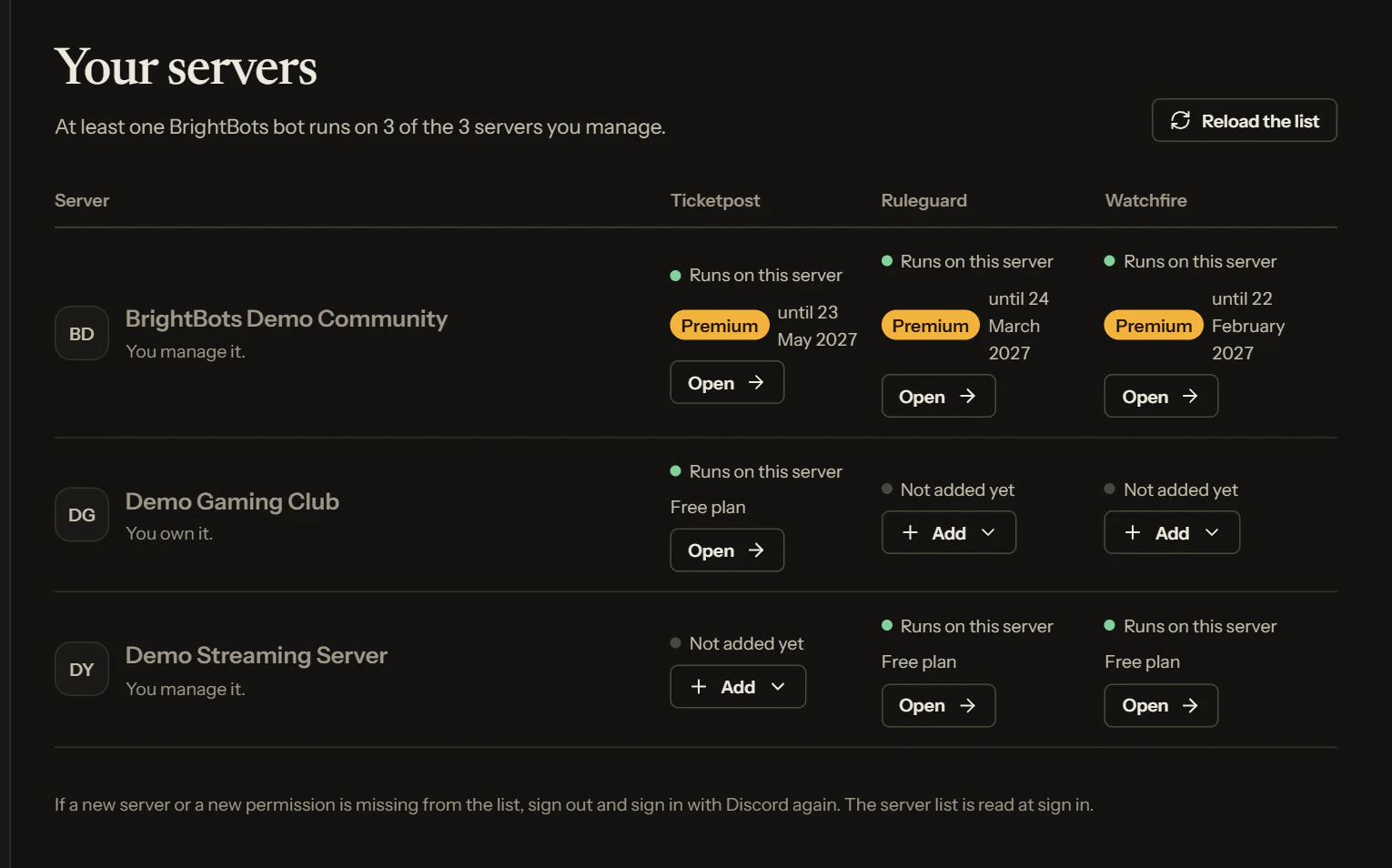
You can add each bot on its own. BrightBots Panel, where you sign in with your Discord account, shows which bot is on which of your servers and lets you set up each bot for that server.
Ticketpost
Ticketpost lets members open support tickets from a panel and lets your team answer them in private channels or private threads.
- When a ticket opens, the member fills in a short form of up to five questions.
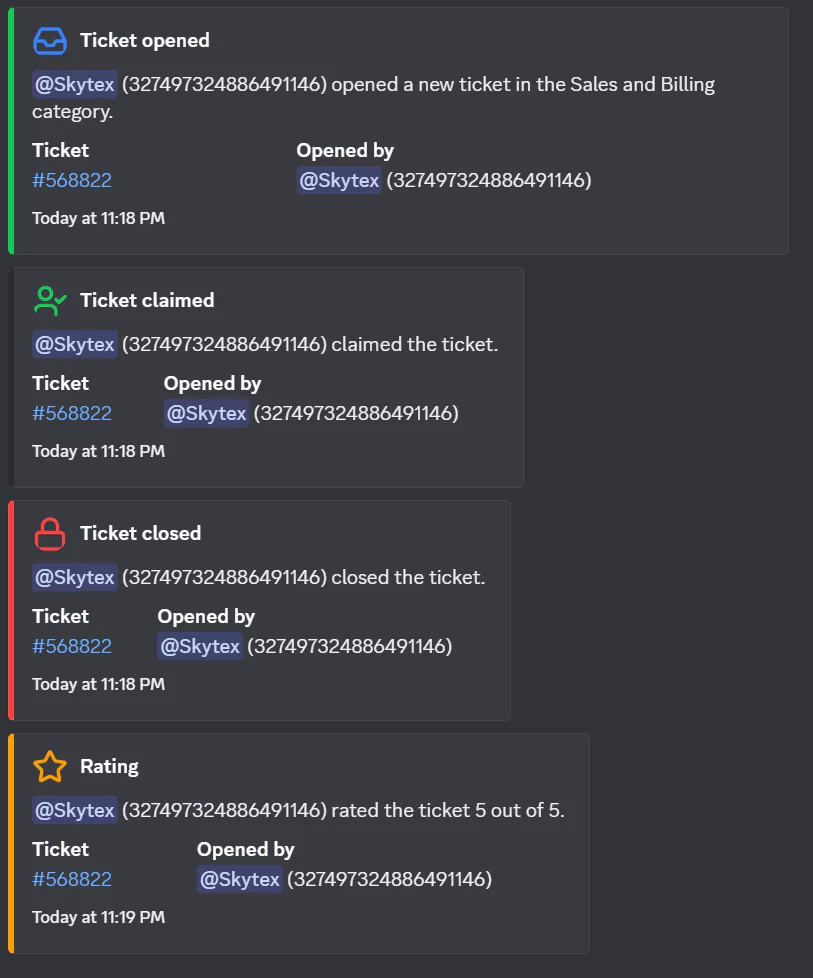
- Every closed ticket keeps a transcript, and the member can rate the support they got.
- You can take staff and whitelist applications with the same bot.
support-logs
Ruleguard
Ruleguard brings moderation, verification, server logs and member activity together in one bot for community servers.
- Every warning, timeout, kick and ban is written to the log channel as a numbered case.
- New members verify with a button, a reaction or an image code.
- Levels, role menus, giveaways and stream alerts are in Ruleguard as well.
mod-logs
Getting started with a bot takes three steps.
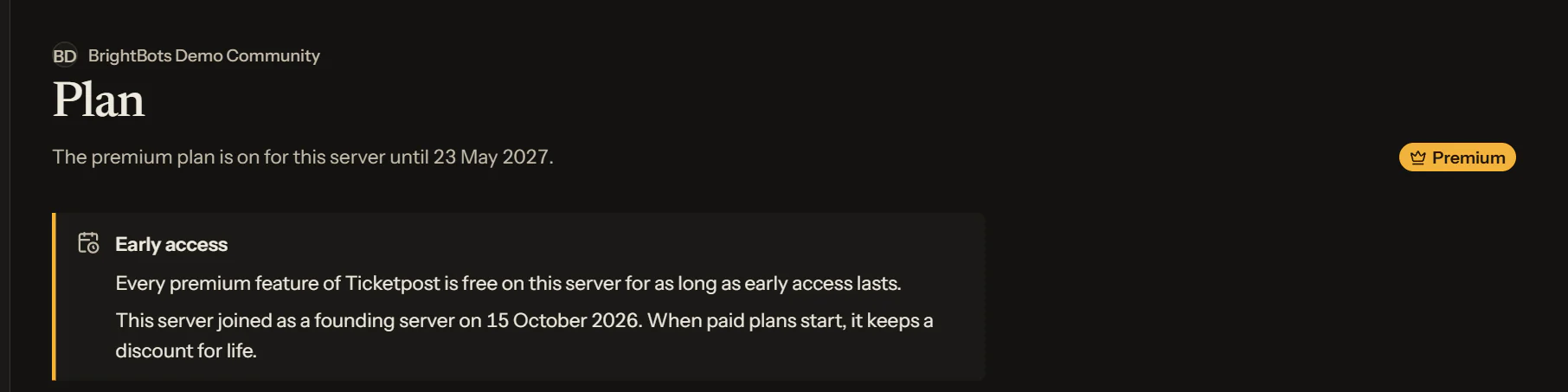
The screens below were taken from the demo mode of BrightBots Panel, which runs on sample data.
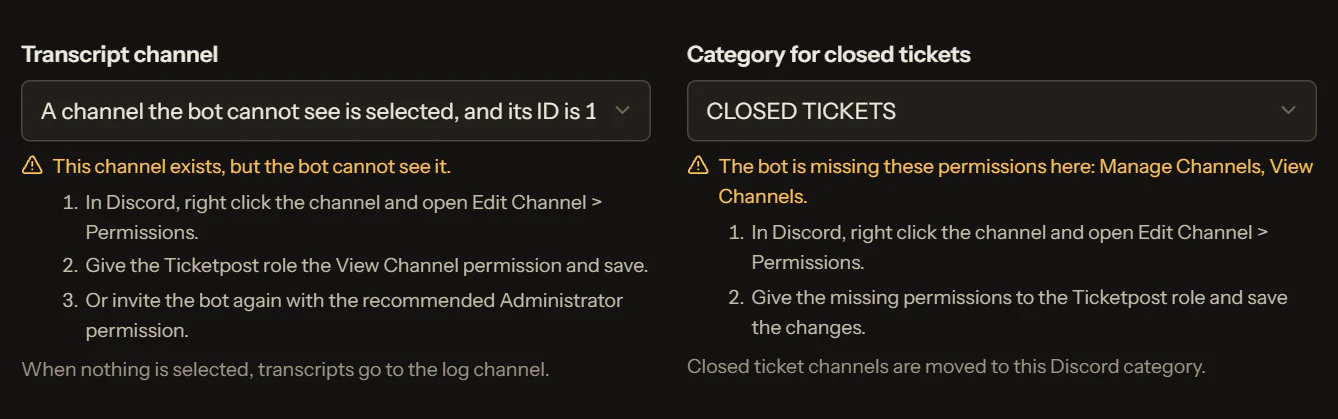
- Channels, roles and categories are picked from the real lists of your server, so you never copy an ID.
- When the bot joins your server, it creates no channel or role and only points you to the panel.
The bots and the panel speak six languages.
Our bots and the panel speak English, Turkish, Spanish, Brazilian Portuguese, German and French. You choose the language per server, and the bot can answer every member in their own Discord language.
- English
- Türkçe
- Español
- Português (Brasil)
- Deutsch
- Français
Five things set BrightBots apart.
This comparison describes what is common among Discord bots, not any single bot.
Setup
What you usually getSetup often happens inside Discord, with long commands and IDs copied by hand.
With BrightBotsYou set up everything in a web panel by picking from the real channel and role lists of your server. The bot creates no channel or role by itself.
Messages
What you usually getYou often see how a panel or an announcement looks only after it has been sent.
With BrightBotsThe panel shows the message the bot will post exactly as Discord will show it, and it is sent when you press Send to channel.
Permission problems
What you usually getA missing permission is often noticed only when something stops working.
With BrightBotsThe bot checks its permissions for every channel and role you pick before you save. If something is wrong, it says so in one sentence and lists the fix in numbered steps.
Hosting
What you usually getA bot you run yourself means a server to rent, regular updates and a token to keep safe.
With BrightBotsWe run the bots and keep them up to date. There is nothing for you to install, update or back up.
Appearance
What you usually getA bot looks the same on every server.
With BrightBotsOn the premium plan, the bot uses its own name, avatar, banner and bio on your server. During early access this is free too.
During early access, you use every premium feature for free.
Early access has no end date. Every server that adds our bots uses all the limits and features of the premium plan without paying, and you are never asked for payment details.
Every server that adds a bot during early access is recorded as a founding server for that bot. When paid plans start, founding servers get the premium plan of that bot at a lifetime discount of 50 percent.
We announce the date paid plans start at least one month ahead, in the panel, in the messages of the bots and on our Discord server.
Read the details of early access and the founding discountYou can also order a custom Discord bot for your server.
For work our ready-made bots do not do, such as registration, an economy, a game server connection or a workflow that only your server has, we build custom bots. We only make Discord bots and take no other kind of software work.
A custom bot can speak the same six languages as our ready-made bots, and after delivery we can run it on our servers and maintain it.
- Join our Discord server and open an order ticket for a custom bot.
- Tell us what the bot should do. If you have an example of a similar bot, share it too.
- We send you the work, the timeline and the price in writing, and we start once you approve.
- During development we keep you updated with screenshots, and we deliver the bot tested and added to your server.
Here are the questions people ask most about the bots.
If your question is not here, you can ask it on our Discord server.
Do the bots cost anything?
Not now. Adding the bots to your server is free, and every premium feature is free during early access too. When paid plans start, the free plan stays, and founding servers get premium at a lifetime discount of 50 percent.
Can I run the bots on my own computer or server?
No. We run the bots and keep them up to date. You do not need to install a program, rent a server or enter a bot token. You only invite the bot and set it up in the panel.
What does the bot change when it joins my server?
Nothing. The bot creates no channel, role or category and only sends a short welcome message that points you to the panel. If you want a channel or role created, you choose that yourself in the panel.
Why does the invite ask for Administrator?
Only with this permission can the bot see private channels that existed before it joined your server. The bot still only does what its own features need. If you prefer, you can add the bot with the required permissions only; the panel then shows which permission is missing in which channel.
Which languages do the bots speak?
They speak six languages: English, Turkish, Spanish, Brazilian Portuguese, German and French. In the panel you can choose the language of the server, or let the bot answer every member in their own Discord language. Command names and BrightBots Panel are available in the same six languages.
Are my settings deleted when paid plans start?
No. On a server without premium, your next save has to fit the limits of the free plan, and only the features that are part of premium stop.
Can I order a custom bot for my server?
Yes. Custom Discord bot orders start with a ticket on our Discord server. We only make Discord bots.
For a problem, a question or a custom Discord bot, you can write to us on our Discord server.
We have one server for support and sales. Its shared language is English, and it also has chat channels in Turkish and other languages. Support requests and custom bot orders start with a ticket.